What is Flash Builder 4.5?
Adobe Flash Builder 4.5 software, formerly Adobe Flex Builder, is an Eclipse based development tool for rapidly building expressive mobile, web, and desktop applications using ActionScript and the open source Flex framework.
Build mobile applications
Use Adobe Flash Builder 4.5 software to build mobile Flex or ActionScript applications for leading mobile platforms using a common codebase.
Mobile app development for multiple platforms
Build standalone Flex/ActionScript applications for one or more mobile platforms (Android, BlackBerry, or iOS). Design and Code views support mobile development using mobile-ready components.
Previewing and debugging of mobile applications
Test mobile applications on the desktop using a mobile Adobe AIR runtime emulator, or test on locally connected mobile devices using a one-click process to package, deploy, and launch.
Mobile application packaging and signing
Deploy, package, and sign required resources as platform-specific installer files for upload to a mobile application distribution site or store.

Mobile apps for Android, iOS, and BlackBerry Tablet OS
Benefit from new support for mobile application development and testing, enabling the use of a common codebase to build apps for Android, iOS, and BlackBerry Tablet OS while sharing code from web applications.
Accelerate coding using powerful, improved intelligent code editing.
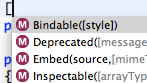
Metadata code completion
Benefit from metadata code completion that enhances existing content assist functionality by providing suggestions for both Adobe Flex Software Development Kit (SDK) and custom metadata tags.
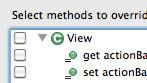
Code generation
Use QuickAssist/Fix to rename and manipulate variables, generate getters/setters and event handlers, organize imports, and more. Use the override/implements feature to define methods from a superclass or interface.
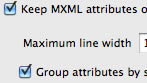
Additional coding improvements
Accelerate your coding with block selection and edit mode; next/previous subword navigation; code formatting of MXML documents; CSS class reference content assist, navigation, and refactoring; and more.
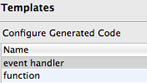
Customizable Flash Builder
Customize how Flash Builder generates MXML/ActionScript code using code templates, specify trigger keys for content assist and auto-complete suggestions, and specify Flash Player versions for launch/debug.
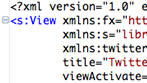
Powerful coding tools
Use a powerful Eclipse based IDE that includes editors for MXML, ActionScript, and CSS as well as syntax coloring, statement completion, code collapse, interactive step-through debugging, and automatic code generation.
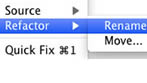
Refactoring and ASDoc support
Quickly navigate through code or restructuring by renaming all references to a class, method, or variable thanks to refactoring support. Display comments in MXML and ActionScript editors using ASDoc.
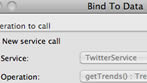
Data-centric development
Introspect Java, PHP, Adobe ColdFusion, REST, and SOAP services to display methods and properties in the new Data/Service Explorer. Drag and drop to bind methods to user interface components.
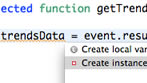
Invalid reference live highlighting
See references to invalid variables, methods, classes, and interfaces as you are typing in the code editor, and then use the Quick Assist/Fix features to generate stub code.
Flash Builder 4 added
File template support, ASDoc content display, states code visibility, move refactoring, rename refactoring, code indentation, content assist proposal cycling, content assist camel case, view call hierarchy.
Flash Builder 4 also added
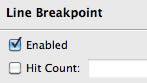
Import organizing; override indicators; indent on code paste; code folding; and debugging enhancements including expression evaluations, run to line debug, conditional breakpoints, and watchpoints.
Code templates
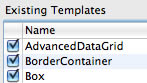
Use over 100 new best-practice code templates (aka snippets) for ActionScript, MXML, and CSS. Review and insert templates using code assist. Create custom templates and import or export them for sharing within teams.
More productivity, more power
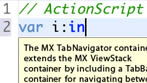
Accelerate coding and testing of Flex and ActionScript projects using extensive new and improved tooling features.
To the top
Design-develop workflow
Speed up development by working in parallel with designers using Adobe Flash Catalyst software.

Bidirectional designer/developer workflow
Take advantage of new support in Flash Builder 4.5 and Flash Catalyst CS5.5 that enables designers to open, make changes to, and save Flex projects that were either created or previously edited in Flash Builder.
Custom Spark components for designer skinning
Rapidly prototype user interface elements and build component business logic by creating custom Spark component classes. Then use Flash Catalyst to convert visual artwork and skin components.
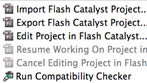
Roundtrip editing in Flash Catalyst
Use the new edit in Flash Catalyst feature to quickly make changes to component skins. Changes made in Flash Catalyst CS5.5 are automatically reflected in Flash Builder.
To the top
Large project development
Work with large projects more efficiently to speed up development.
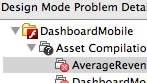
Design View improvements
Speed up development with Design View enhancements such as rendering improvements for complex projects, auto-collapse of data-binding expressions, warnings for incompatible SWCs, visual feedback for drag/drop operations, and improved performance.

Improved large-application performance
See up to a 65% reduction for refactoring operations on projects with a large number of dependent libraries, a significant reduction in memory used when profiling complex applications, and improved profiler responsiveness.
Command-line build
Use the command-line build capability to automate your build process.
To the top
Expanded platform support
Get the latest platform support in Flash Builder 4.5.

Updated platform support
Take advantage of new platform support for Eclipse 3.6 (Helios) and the standard Eclipse for Java distribution; the Cocoa version of Eclipse on Mac OS X; and Adobe Flash Player 10.1, Adobe AIR 2.5, and Flex SDK 4.5.
New Spark components
Use powerful new Spark components in Flex SDK 4.5, including the new Spark Datagrid, Form, and Image controls for web/desktop applications.

Desktop Adobe AIR applications
Build, debug, package, and sign AIR applications. Adobe AIR lets you quickly develop rich Internet applications (RIAs) for the desktop with the same skills and codebase you use to build RIAs for the browser.
To the top
Rich application design
Lay out and customize expressive user interface behaviors and controls.
Rich visual layout
Visually design and preview user interface layout, appearance, and behavior using a rich library of built-in components. Extend the built-in Flex framework components or create new ones as needed.
Interactive data visualization
Create data dashboards and interactive data analysis by dragging and dropping a chart type and linking it to a data source. Use the powerful Advanced Datagrid to enable users to explore complex data.
Skinning and styling
Customize application appearance using CSS and graphical property editors. Set commonly used properties and preview the results in Design View. Browse themes and apply them to projects with the Theme Browser.
Rich expressive experiences
Create more intuitive, engaging applications to help people understand and use data to support key business activities, leading to increased levels of productivity and effectiveness.







