All stock codes associated to this product
65026658, ALD0406
Adobe Premiere Elements 7 software makes it easy to create incredible movies. Get started quickly with automated moviemaking options, add knockout visuals and sound, and share your movies everywhere.
Create
Get started quickly with all your video clips at your fingertips and a variety of new, automated options for transforming them into polished movies.
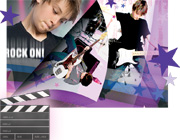
Create a polished movie, instantly New
Create polished movies with no effort using creative techniques from Hollywood directors. Just choose a theme and new InstantMovie automatically edits together your best clips with coordinated music, titles, effects, and transitions. You can even customize the final result if you wish.
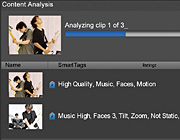
Quickly find your best clips New
Let Adobe Premiere Elements automatically analyze and tag your footage so you can quickly find your most interesting, highest quality clips.
Back to top
Customize
Enhance your stories with knockout visuals and sound. Combine elements of different videos for entertaining results, and add animated titles, custom disc menus, rich audio, and dazzling visual effects and transitions.
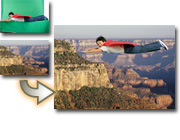
Easily put your subject in a new setting New
Composite video with entertaining results. Use new Videomerge technology to cleanly extract your moving subject from a solid-color background and then drop it into a new setting for a fun or creative twist.

Energize your movies with music Enhanced
Use new SmartSound to add a variety of musical soundtracks that automatically adjust to perfectly match the length of your movie. Even synchronize scenes to the beat of your soundtrack.
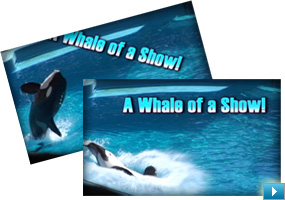
Animate titles to fit your movie's personality
Choose from a set of world-class Adobe fonts designed to look great on video, and customize them with shadows, glows, and other effects. Then animate your titles to make them bounce, spin, or zoom across your scenes.
View it in action
View example
Back to top
Share
Broadcast far and wide by uploading your movies directly to YouTube or your personal sharing site; share with family and friends on DVD, mobile phones, and portable media devices; and enjoy movies in high definition, including on Blu-ray Disc.
Share your stories on the web
Easily upload your movies to YouTube or your personal sharing page. Adobe Premiere Elements takes care of optimizing and formatting for the specific destination so your movies always look great.
View it in action
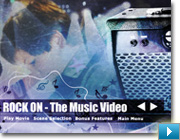
Add the finishing touch with a menu and scene index
Design custom disc menus from scratch, or choose from dozens of menu templates. Adobe Premiere Elements automatically creates scene indexes or chapters for your menu with links that correspond to your video clips.
View it in action







